
- Login to your account at Hover.
- Click Your Account and then Domains.

If you have one domain, you will be taken directly to your Domains overview page. If there are more domains, you will be taken to Your Domains. On the Your Domains page, click the domain in the list to be taken to its overview page. - Once on the overview page, navigate to nameservers on the left-hand side of the page.
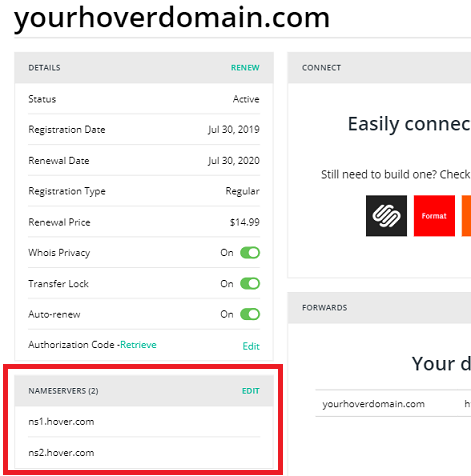
- Click on Edit a text box will appear where you can edit the nameservers. You can also add extra nameservers.
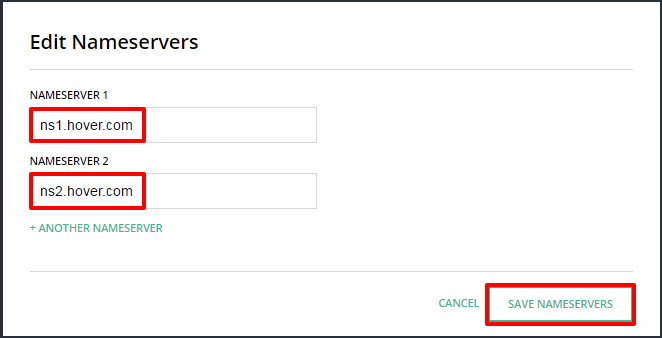
- Click Save nameservers to push through the changes.
- PLEASE NOTE OUR NAMESERVERS ARE AS FOLLOWS:
ns1.ascend.hostns2.ascend.hostns3.ascend.host
- nameservers, dns, hover
- 0 Users Found This Useful


